Axdio
A self-hosted music app for you and your friends, with listening parties, encrypted chat, and more. And yes, my actual name is in the project. 😏

If you’ve used a streaming service for a few years, you know how it goes. You open an old playlist and some of the songs are grayed out because a licensing deal ended somewhere. The price goes up again. The app gets another redesign, and the home screen fills up with podcasts and audiobooks you never asked for. And the whole time, the service keeps a very detailed diary of everything you listen to. That diary belongs to them, not you.
None of that is a disaster on its own. Put together, it’s a strange deal. You pay every month, and you don’t own the music, the app, or even the record of your own taste.
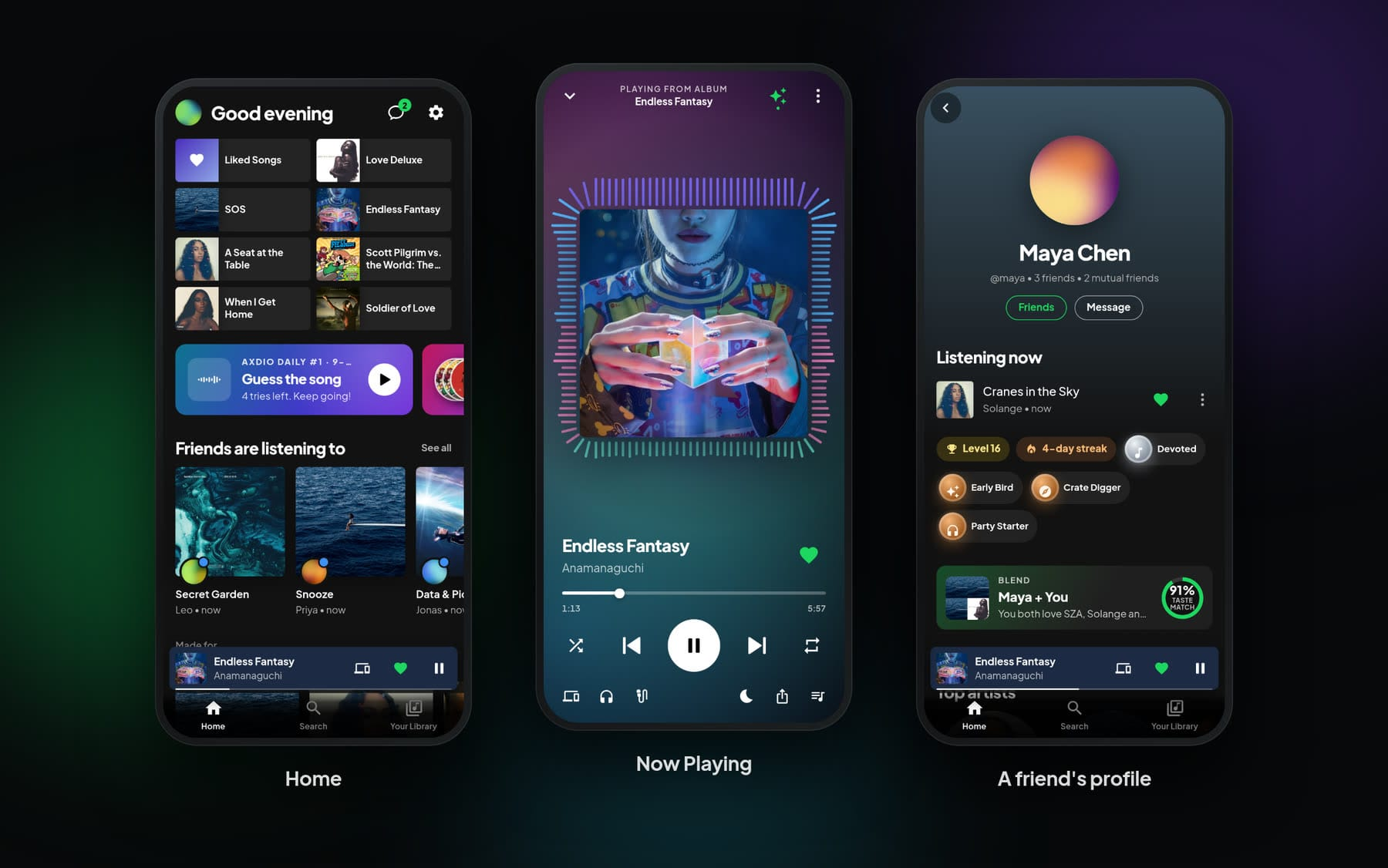
Axdio is the alternative I built. It’s a music server you run yourself. Point it at a folder of music, and you (and whoever you invite) get an app that feels like the big streaming apps, on your laptop, your phone and even the TV. It’s free, it’s open source under the MIT license, and it runs fine on a Raspberry Pi.
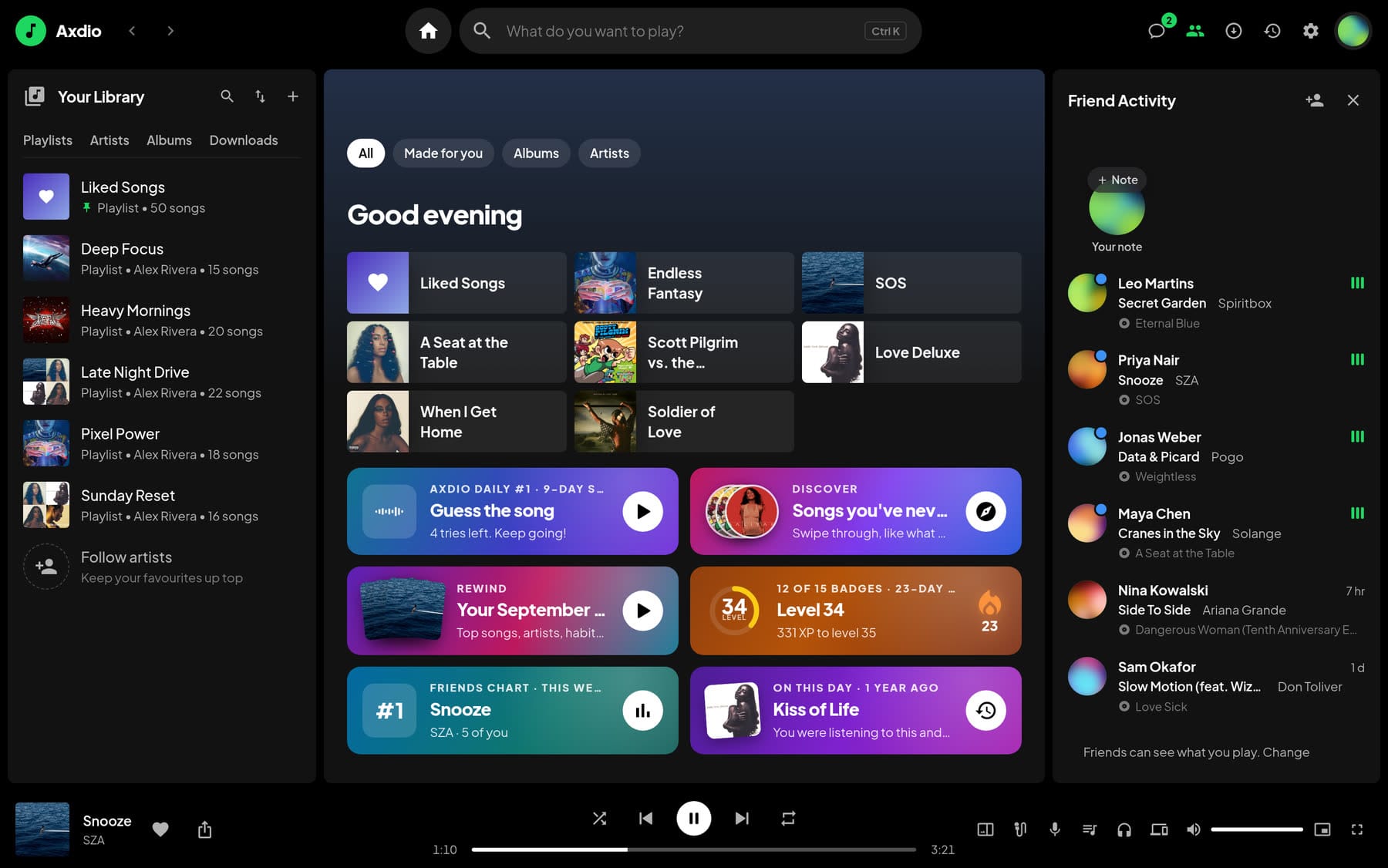
What it actually is
Axdio is a single Docker container. The server inside it scans your library (FLAC, MP3, AAC, Ogg/Opus and WAV), pulls out the cover art, and streams everything to two web apps, one designed for desktop and one designed for phones. You can add them to your home screen like any other app, and after the first visit they stop feeling like websites.
Everyone gets their own account with their own likes, playlists, history and settings, synced across their devices. A household or a group of friends can share one server, and whoever runs it decides who gets in.
If you already have a favorite music app, you can keep using it. Axdio speaks the Subsonic API, so Symfonium, Feishin, DSub, Substreamer, play:Sub and Tempo can all connect to it, and your likes and playlists are the same there as in Axdio’s own apps.
The player
All the usual things are there: gapless playback, crossfade, an EQ, volume boost and normalization.
The feature that makes the biggest difference day to day is smart transitions. Axdio measures each song once, in the background, to learn how loud it is and where its sound really starts, fades and ends. The player uses that to skip the dead air at the beginning and end of tracks. With crossfade on, the fade starts where the song actually winds down instead of a fixed number of seconds before the end, and albums where one track runs straight into the next stay gapless. It can also match the volume from song to song, so a quiet 70s recording and a loud modern master can sit next to each other in a playlist without you reaching for the volume.
The rest is there too: synced lyrics, a queue, a sleep timer, search, and radio and mixes built from your own library. You can download songs for offline listening. Data saver streams 320, 192 or 128 kbps MP3 instead of your original files, with a separate setting for mobile data, so lossless at home doesn’t mean a blown data plan on the bus. And Connect shows your other devices and moves playback between them, which is handy when you start something on your phone and want to finish it on the speakers at your desk.
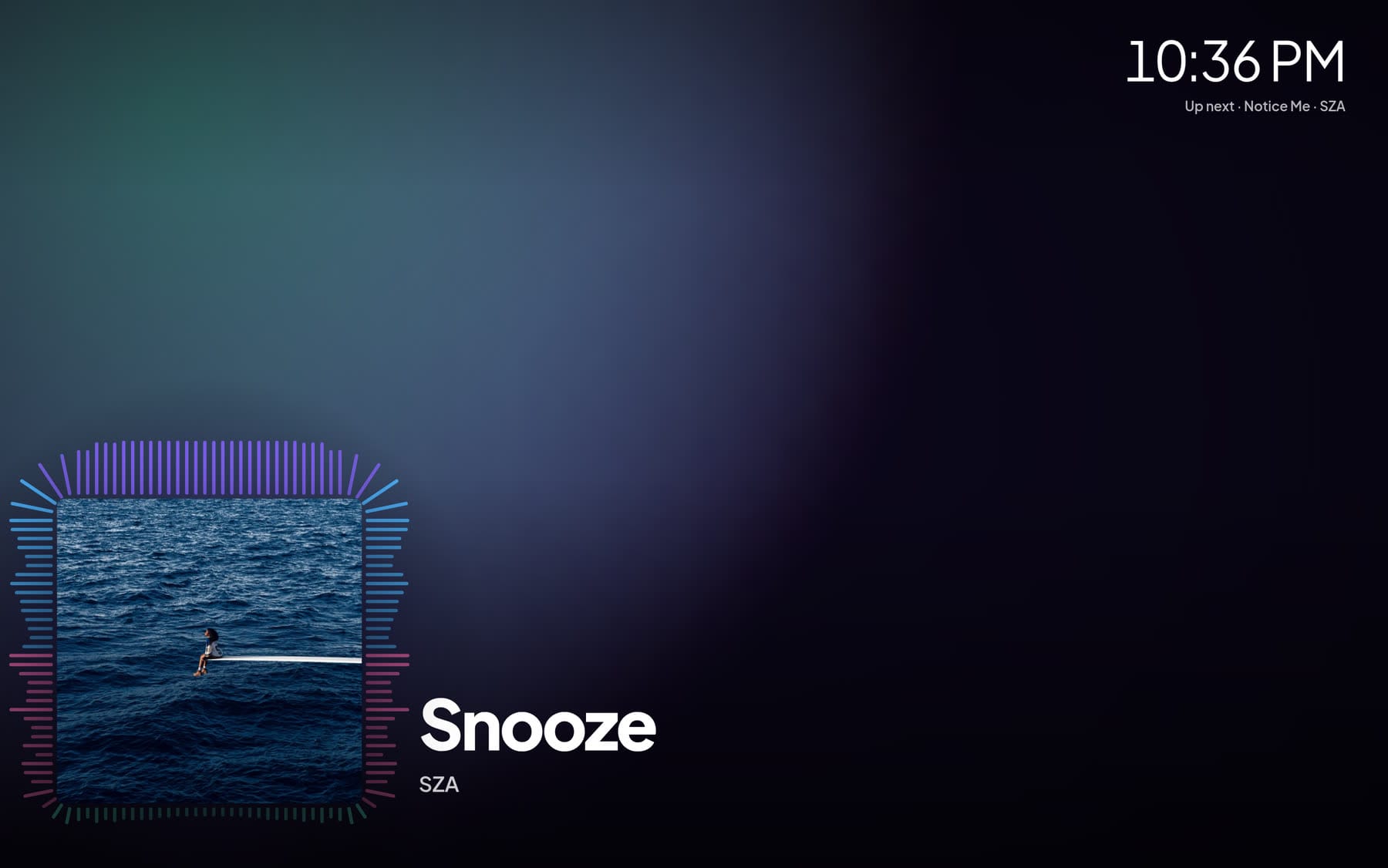
Then there’s Now Playing. Go full screen and the background is painted from the album cover’s own colors, drifting slowly and swelling with the bass, while spectrum bars grow out of the edges of the artwork and the cover pulses on the beat. Leave the mouse alone for a bit and the controls fade away, a clock and the next song fade in, and the screen stays awake. It turns an old laptop or a TV into a pretty good music display.
Your friends are here too
Plenty of self-hosted music servers stop at serving files. Axdio also gives your server a social side, built so the server itself can’t read the private parts.
You can add friends on your server, see what they’re playing right now, and open their profiles to see their top artists, recent songs and the playlists you share. Anyone can hide their listening or stay out of search.
Listening parties let a group hear the same song at the same moment, wherever everyone is. Start one, share the code or the link, and every phone and laptop that joins plays in sync, usually within a few hundredths of a second of each other. The server keeps the clock and each app follows it, nudging its playback speed to stay in step. There’s one shared queue, emoji reactions float across everyone’s screen, and the host decides whether guests can add songs or take over the controls. The party chat is end-to-end encrypted.
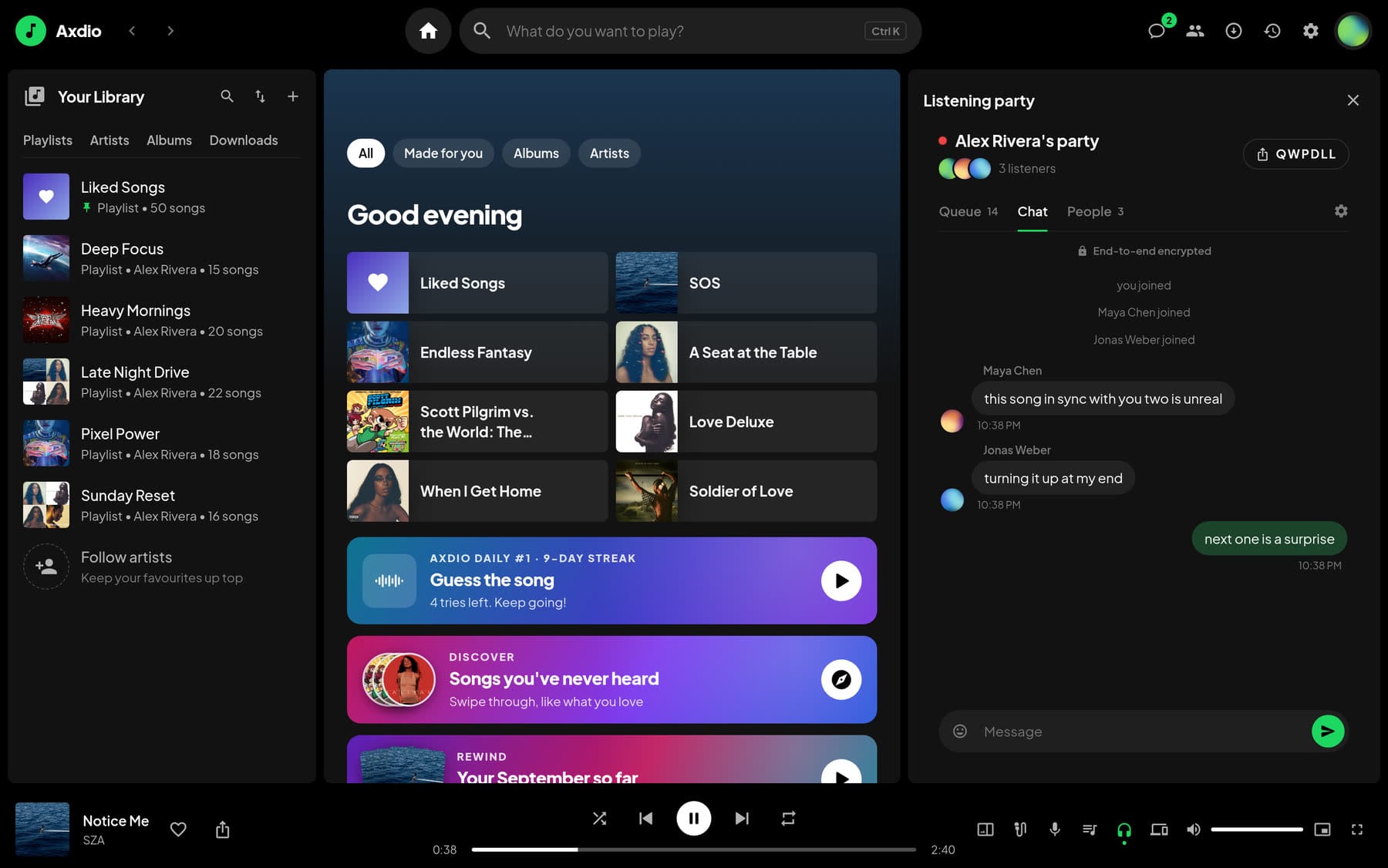
Friends can message each other one-on-one or in groups, and those messages are end-to-end encrypted too. The server only ever stores scrambled data, so whoever runs it, you included, can’t read anyone’s conversations. You can send songs, albums, artists and playlists as cards that play right from the chat, react, unsend, and see when something was read. Photos, videos and voice messages are encrypted on your device before they upload, and photos are redrawn first, which strips out the location and camera details. You can also set new messages to disappear for everyone after an hour, a day, a week or four weeks.
For conversations that really need it, there are secret chats. If you’ve used Telegram’s secret chats, the idea is similar. A secret chat lives on exactly two devices, the one that started it and the one the other person opens it on. The keys never leave those devices and aren’t included in any backup. Someone who gets into your account with your password and your recovery key still can’t read your secret chats, or even see that they exist.
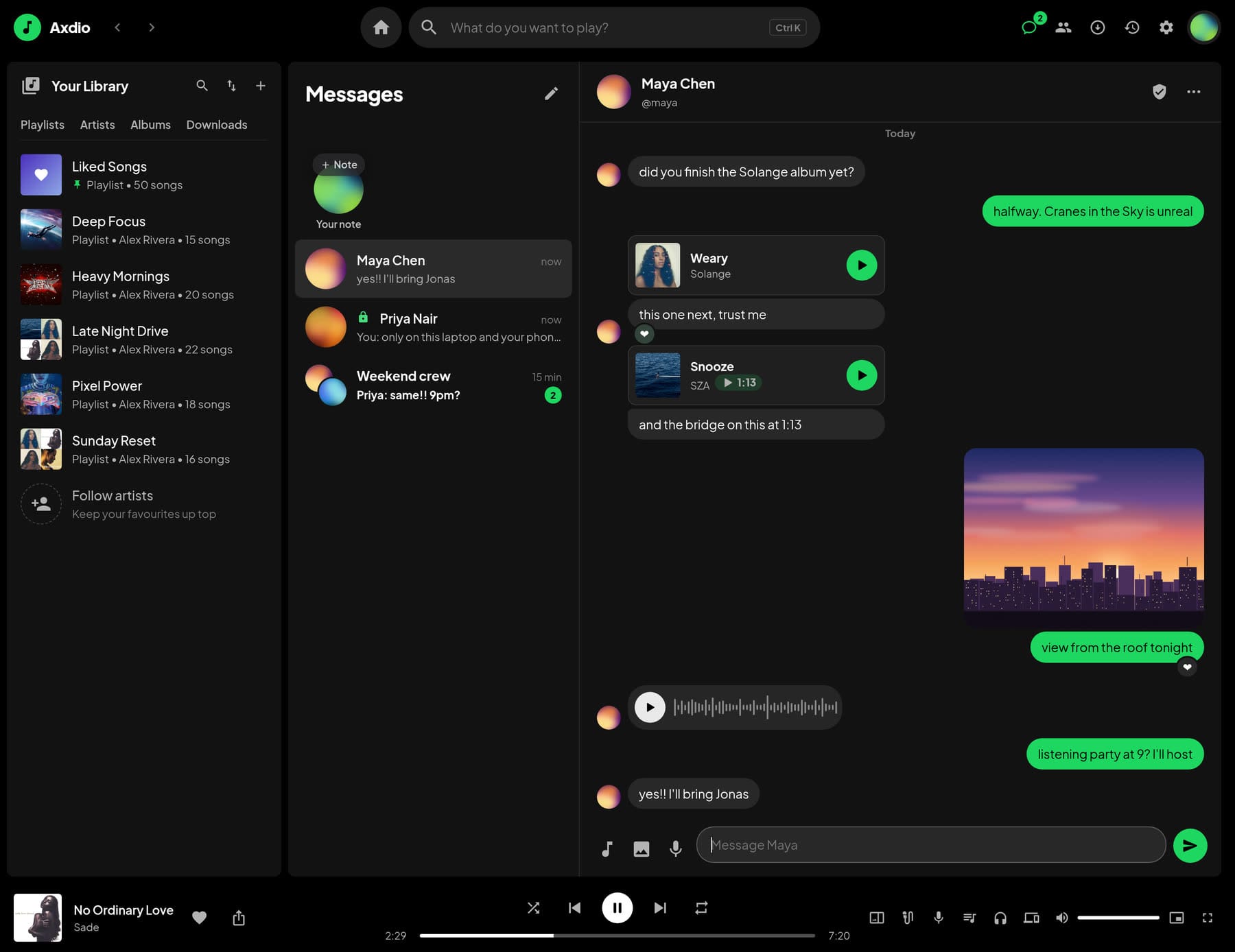
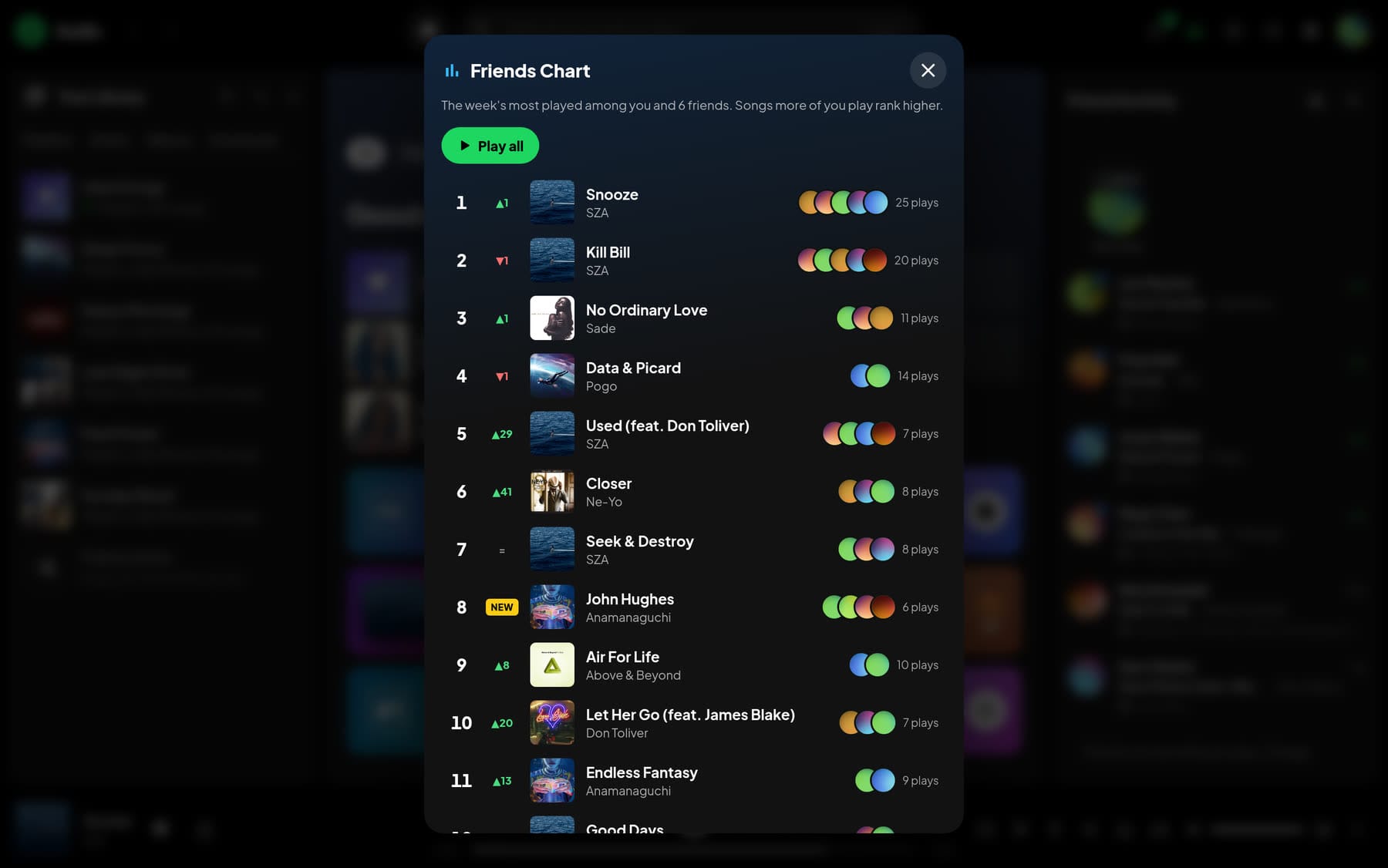
The smaller things add up. Blend compares your taste with a friend’s and builds a mix of the music you both love. Collaborative playlists let a group add, remove and reorder songs together, and show who added what. Music notes let you leave a short line and a song for your friends, shown above their chats for 24 hours. Moments let you share a song from an exact second, so a link that says “listen from 1:13” starts right at 1:13. And the Friends Chart ranks this week’s top 20 across you and your friends, with how each song moved and who’s been playing it.
Every song, album and artist also has a short link that unfurls properly in Discord, iMessage, Slack, WhatsApp and the rest, with the title, artist and artwork. Whoever opens it gets a page with a player, or a sign-in screen first if your server is private. People can sign in with Discord and show what they’re playing as their Discord status (with a small helper app on their computer), and anyone who scrobbles can connect ListenBrainz or Last.fm.
The stuff that keeps you coming back
Some features are there purely because they’re fun.
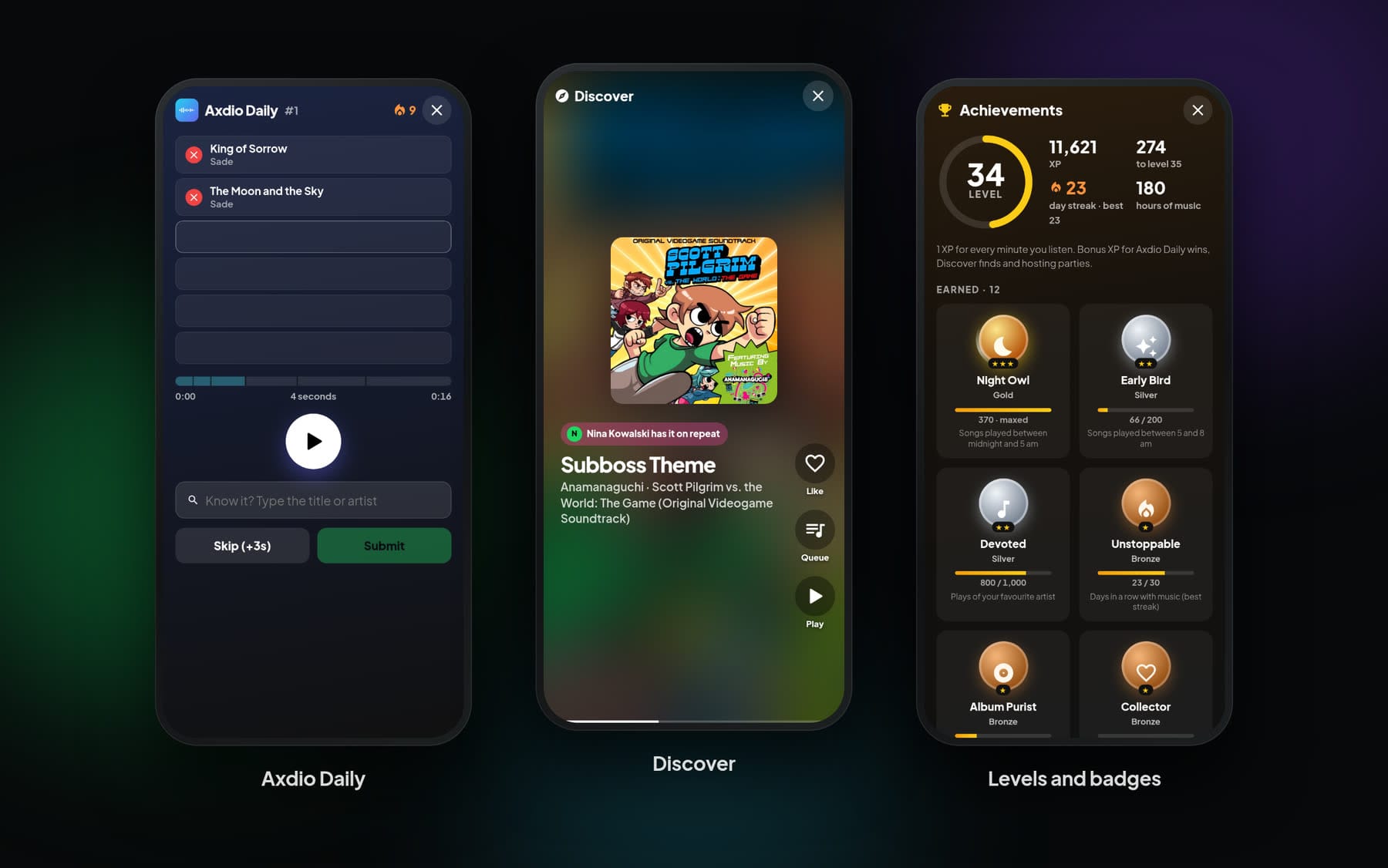
Axdio Daily is a name-that-tune game. Every day, everyone on the server gets the same song, picked from what’s popular there, and tries to name it from a one-second clip. Get it wrong and you hear two seconds, then four, seven, eleven and sixteen. There are streaks, win stats, a result to share, and a look at how your friends did. If that sounds like Heardle, it’s a lot like Heardle. Spotify bought Heardle in 2022 and shut it down less than a year later. This one runs on your server, so it stays.
Discover is a full-screen feed of songs on the server you’ve never played, one swipe at a time. Each one starts at its catchiest part instead of a slow intro, which makes digging through a big library much more fun. The picks mix what your friends have on repeat, more from artists you already love, and deep cuts. Double-tap to like.
Listening earns XP. There’s a daily streak, a level your friends can see on your profile, and 15 badges in bronze, silver and gold, with names like Night Owl, Explorer and Album Purist. It sounds like a gimmick until you’re three weeks into a streak and it’s 11:40 at night.
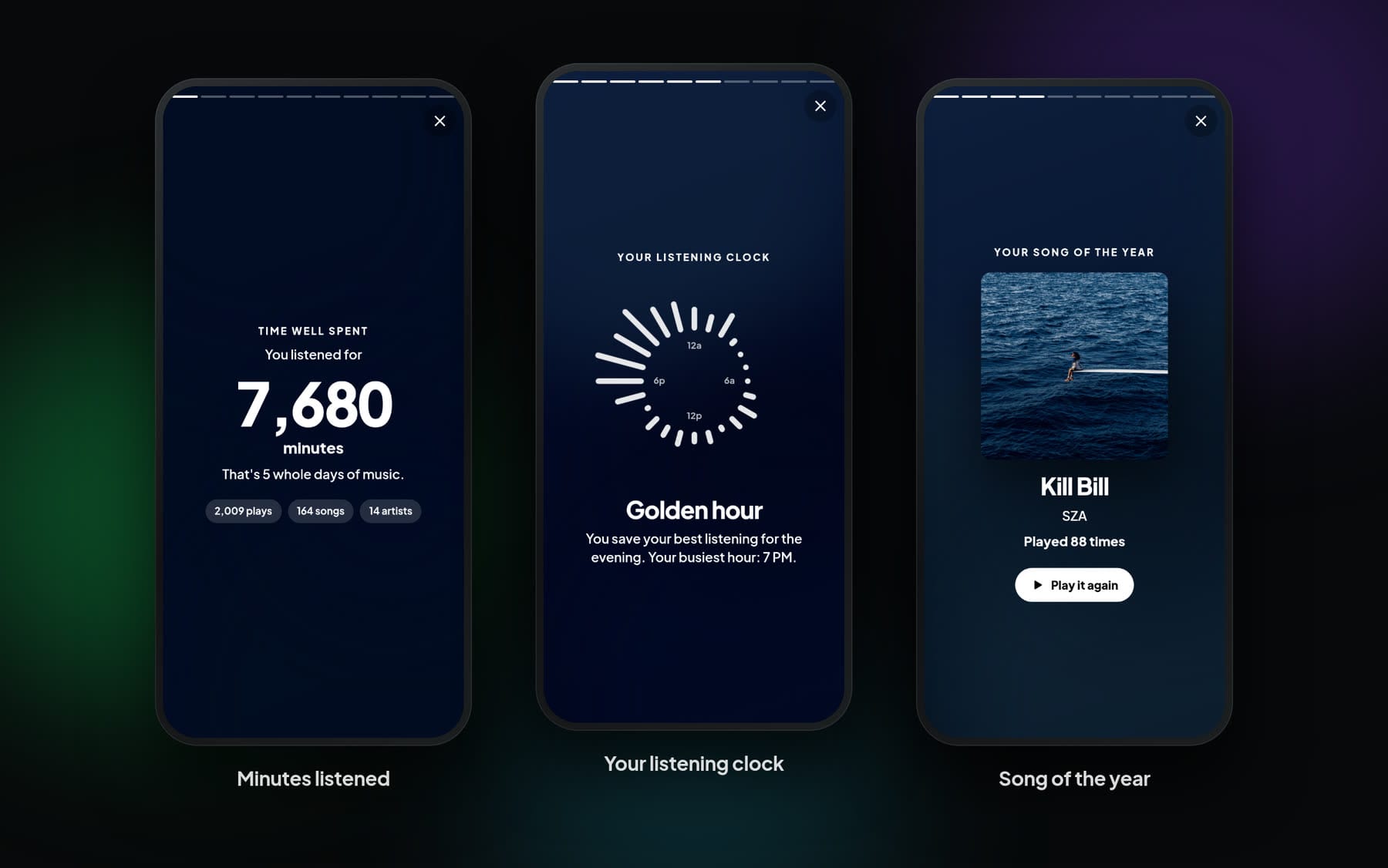
Rewind is your month or year in music, told as full-screen story cards: minutes listened, top artists and songs, your listening clock and what kind of listener it makes you, your longest streak, your biggest day, and the songs you found. The last card is a poster you can save, share or send to a friend. You don’t have to wait until December, either. It covers this month, this year, earlier years or all time, and only you can see it.
Time capsule shows what you were playing on this day in earlier years, or a month ago, next to forgotten favorites you haven’t played in a while.
And Sing along turns the vocals down live and puts big lyrics on screen that fill in as they’re sung. On desktop and Android it actually takes the lead vocal out of the track, by canceling whatever sits in the center of the mix while keeping the bass. It isn’t studio karaoke, but nobody at a party is grading you.
Privacy, with the fine print included
Axdio sends no telemetry, and the apps don’t load anything from other sites, fonts included. The server only contacts outside services for features you actually use, like fetching lyrics, scrobbling or checking for updates, and the README lists every one of them and when it happens.
The encryption deserves a plain explanation. Your keys are made on your device. The server stores your public keys, the encrypted messages, and a backup of your private keys that’s locked with a 32-character recovery key only you have. If an admin resets your password, that doesn’t unlock anything, because your password isn’t part of the encryption. What the server can see is who talks to whom, when, and roughly how long each message is.
There’s one limit every web app shares, and I’d rather state it than bury it. The encryption code itself is served by the server. So it protects you from a curious admin, stolen backups and leaked databases, but not from someone who changes the server’s code to capture keys as people type. When you run the server yourself, the person you’re trusting is mostly you.
If you like keeping things separate, chats can also live in their own folder, on another disk or an encrypted volume, away from the rest of Axdio’s data.
If you’re the one running it
Most of what you’d otherwise do over SSH happens in the admin panel:
- open, invite-only or closed sign-ups, plus a private-server mode and a maintenance mode
- accounts and admin roles, login lockout, two-factor sign-in for admins, and activity logs
- switches for nearly every feature in this post, in case your server isn’t that kind of server
- your own branding, and your own domain for share links
- scheduled backups and restore
- update notices with the changelog, one-click updates if you give Axdio access to Docker, and an automatic rollback if a new version doesn’t come up healthy
- notifications to Discord or any webhook, and Prometheus metrics if you like graphs
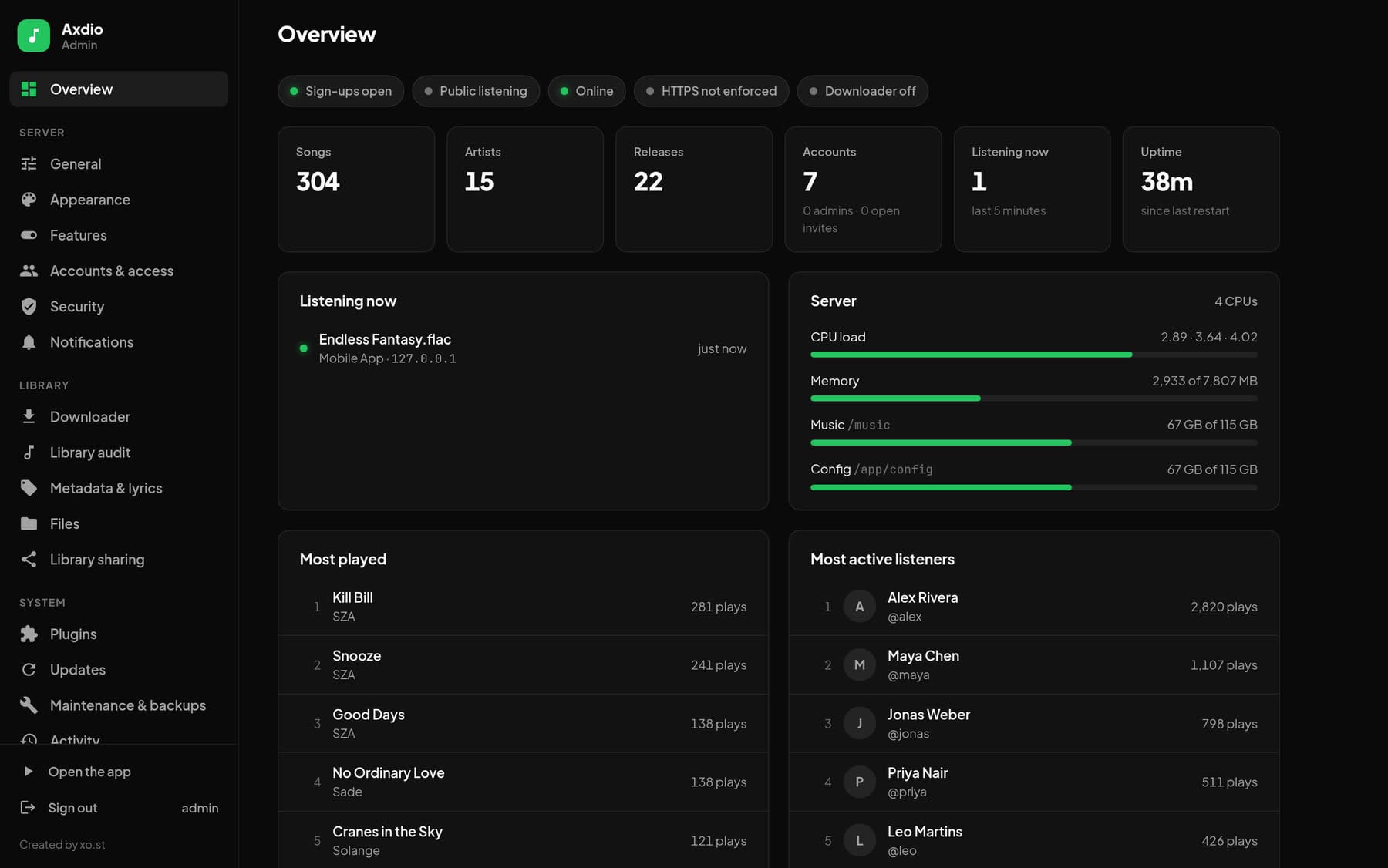
Library sharing is a bit like federation for friends. If a friend runs Axdio too, you can swap share keys and their music shows up next to yours, marked with the server it comes from. Nothing is copied. Songs stream from their server through yours, and their server sees your server, not who’s listening. It can go one way or both ways, and either side can stop it at any time.
There’s also a library audit that fingerprints your files and compares them with the actual recordings. It’s how you find out that the file tagged as the song is really the instrumental, or the music-video cut. The same fingerprinting drives an optional downloader. It’s off by default, Axdio doesn’t ship with any download tools (an admin has to install yt-dlp from the Plugins page), and it won’t save anything unless the audio matches the exact recording. Only use it for music you have the right to download.
Under the hood it’s Flask and gunicorn with SQLite, and the apps are plain JavaScript with no build step. The container runs as a non-root user, has a health check, and works on 64-bit Intel, AMD and ARM, which covers a Raspberry Pi 4 or 5, many NAS boxes and pretty much any old PC.
Axdio or a streaming service?
I won’t pretend Axdio beats Spotify or Apple Music at their own game. They have more than a hundred million songs, and Axdio has whatever is in your music folder. The two are built on very different deals, though, so here’s how they compare.
| Streaming services | Axdio | |
|---|---|---|
| The music | 100 million+ songs, rented | Your own collection, owned |
| Cost | A monthly fee, per person or household | Free and open source. You provide the machine and the music |
| When a license ends | The song goes gray | Nothing happens. The file is yours |
| Sound | Depends on the service and your plan | Your files as they are, FLAC included, or smaller MP3s when you want to save data |
| Your listening data | Collected and used by the company | Stays on your server. No ads, no telemetry |
| Discovery | Recommendations drawn from millions of listeners | Discover, radio and mixes drawn from your server and your friends |
| Listening together | Spotify Jam, SharePlay on Apple Music | Synced parties with an encrypted chat |
| Messages | Some have them | End-to-end encrypted, with photos, video, voice and secret chats |
| Apps | Native apps everywhere, including cars and speakers | Installable web apps, plus any Subsonic app |
| Who decides what changes | They do | You do |
If you mostly listen to whatever came out this week, a streaming service is probably the better fit, and that’s fine. Axdio is for people who already have a collection they care about, or are building one from Bandcamp purchases and old CDs, and want an app for it that doesn’t feel like a step down. It’s also for anyone who likes the idea of a music app their friends share that no company can change, sell or shut down on them.
Before you try it
A few things to know first:
- It doesn’t come with music. You bring your own.
- You need a machine that stays on. A Raspberry Pi 4 or 5 will do.
- To use it away from home you’ll want a domain and HTTPS. Encrypted messages and installing the app on a phone both need it.
- iPhones get a slightly smaller version of a few features because of how iOS handles audio in the browser. The visuals follow a gentle rhythm instead of the real sound, volume matching isn’t available, and Sing along shows the lyrics without removing the vocals.
- There are no App Store apps. The web apps install like apps, and Subsonic apps cover the rest.
Trying it
If you have Docker, this is the whole setup. Save it as docker-compose.yml:
services:
  axdio:
    image: ghcr.io/xo907/axdio:latest
    container_name: axdio
    restart: unless-stopped
    ports:
      - "7865:7865"
    volumes:
      - /path/to/your/music:/music
      - ./config:/app/config
    environment:
      - PUID=1000
      - PGID=1000
Change /path/to/your/music to wherever your music lives (on Linux, set PUID and PGID to what id -u and id -g print), run docker compose up -d, and open http://your-server:7865/admin to create the admin account. The first library scan starts by itself. The full guide, including reverse proxy examples for Caddy and nginx, is on GitHub at github.com/xo907/axdio.
Axdio is MIT licensed and currently on version 2.7. Bug reports and ideas are welcome on GitHub. And if you do set it up, I’d love to hear who ends up winning the Daily on your server.